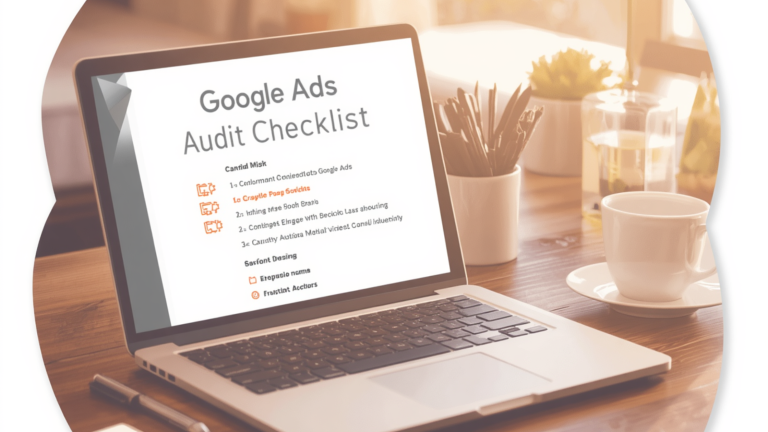

A Google Ads audit is the fastest way to find out why your campaigns are not performing, and whether the problem is fixable or fundamental. After auditing hundreds of Google Ads accounts, Digital Drew SEM has found that 90% of underperforming accounts share the same set of fixable problems. This guide covers all 12.
Key Takeaways
– Most accounts waste 20–40% of their budget on irrelevant clicks; a proper negative keyword list would eliminate them
– Conversion tracking misconfiguration is the #1 cause of campaigns “optimizing” toward the wrong goal
– Quality Score problems can reduce CPC by 20–50% when fixed
– A Google Ads audit takes 1–2 hours and can reveal thousands of dollars in monthly waste
– Digital Drew SEM offers a free Google Ads audit. Book at digitaldrewsem.com
The 12-Point Google Ads Audit Checklist
1. Conversion Tracking: Are You Measuring What Actually Matters?
The most important check. Wrong conversion tracking means every “optimization” the campaign makes optimizes toward the wrong goal.
Check: Is tracking on the thank-you page (not the form page)? Are phone calls tracked with a minimum 60-second duration? Are all conversion actions Primary actions, or just the ones representing real outcomes?
Fix: Remove any conversion action that doesn’t represent a real lead or sale from Primary status. Phone calls without a minimum duration and form page loads (not confirmations) both mislead Smart Bidding.
2. Search Term Report: What Are Ads Actually Showing For?
Pull the last 90 days. Read every line.
Look for: Irrelevant searches, job seeker terms (hiring, salary, jobs), competitor brands you didn’t intend to bid on, informational queries with no purchase intent, and locations outside your service area.
Fix: Add every irrelevant term as a negative keyword. Most accounts we audit have hundreds of terms that should be negatives. This alone reduces wasted spend by 15–30%.
3. Negative Keyword Lists: Are They Built and Applied?
Check: Is there an account-level negative keyword list? Is it comprehensive? Is it updated monthly from the search term report review?
Fix: Build a master negative keyword list at the account level. Schedule a monthly search term report review as a standing process.
4. Campaign Structure, One Offer, One Objective Per Campaign
Check: Are multiple services combined in a single campaign? Is brand search separated from non-brand? (This is non-negotiable — mixing them corrupts Quality Score data and bid management.)
Fix: Separate brand from non-brand. Separate services into their own campaigns if they have different conversion rates or margins.
5. Ad Group Structure, Single Theme, Multiple Variations
Check: Do ad groups contain keywords from more than one topic? Does each have 2–3 ad variations? Are RSA assets specific to each ad group’s theme?
Fix: Break broad ad groups into tighter single-theme groups. Make every RSA asset specific, benefit-driven, and varied.
6. Quality Score, Where Is It Dragging Down Performance?
A low Quality Score means you pay more per click than competitors with better scores, for the same position.
Check: Filter keywords by Quality Score. Below 6 is worth investigating. Check three components: Expected CTR, Ad Relevance, and Landing Page Experience.
Fix: Low CTR → more specific ad copy. Low Ad Relevance → ensure ads reference the keyword theme directly. Low Landing Page Experience → speed, relevance, page-to-ad match.
7. Bid Strategy: Is Smart Bidding Actually Working?
Smart Bidding only works with sufficient conversion data. Without it, it optimizes toward noise.
Check: Is the campaign on Smart Bidding without 30–50 conversions/month? Is Target CPA set from business data or Google’s suggestion? Are campaigns stuck in Learning mode?
Fix: Campaigns under 30 conversions/month should run Maximize Clicks or Manual CPC until data accumulates.
8. Landing Pages — Does Traffic Convert After the Click?
Check: What is the landing page conversion rate? (Healthy: 2–5% general, 5–15% optimized.) Does it load under 3 seconds on mobile? Is there a single clear CTA?
Fix: A landing page under 2% conversion rate costs at least twice as much per lead as a properly optimized page. Speed and single-CTA pages have the highest ROI per fix.
9. Ad Extensions (Assets): Are You Using All Available Options?
Each additional asset type improves CTR by 5–15%, which improves Quality Score and reduces CPC.
Check: Sitelinks, Callouts, Call Extensions, Lead Form Extensions, Image Extensions, and Structured Snippets. How many are active?
Fix: Add every applicable asset type. This is among the highest ROI fixes in any audit.
10. Geographic Performance, Where Is the Budget Working?
Check: Break down conversions and cost-per-conversion by area. Are there locations consuming significant budget with zero conversions? Is targeting beyond your actual service area?
Fix: Exclude non-performing areas. Increase bids in high-converting locations. For local businesses, ZIP-code targeting is often more efficient than metro area.
11. Device Performance, Mobile vs. Desktop
Check: Break down conversions and CPC by device. Is mobile converting at a lower rate? (Common for B2B and complex purchases.)
Fix: Apply bid adjustments by device based on actual data. B2B accounts often benefit from 20–40% mobile bid reduction. Local service businesses may find that mobile is where the best leads come from, especially call conversions.
12. Audience Targeting: Are You Using Your Data?
Most accounts have audience data they’ve never activated: website visitor lists, customer match lists.
Check: Are remarketing audiences applied to Search campaigns in observation mode? Is Customer Match set up from the existing email list?
Fix: Add all audience lists in observation mode at a minimum. Customer Match lists consistently show lower CPL than cold traffic.
Fix Priority Order
1. Fix conversion tracking- everything else depends on clean data
2. Add negative keywords- stop the bleeding immediately
3. Fix landing pages- structural CPL reduction
4. Restructure campaigns and ad groups
5. Add all missing assets- CTR improvement at no extra spend
6. Apply audience data- activate what you already own
7. Adjust bids by device and geography
Most fixes can be implemented within a week. Performance impact shows within 2–4 weeks.
Get a Free Google Ads Audit
Digital Drew SEM offers a free Google Ads audit for businesses currently running paid search campaigns. We review all 12 items above, identify the highest-impact opportunities, and deliver a prioritized fix list, at no cost, no obligation.
Book your free audit: digitaldrewsem.com | [email protected] | (917) 513-0533
About Drew Blumenthal
Drew Blumenthal is the founder of Digital Drew SEM, a New York-based Google Ads agency. He has audited and rebuilt hundreds of accounts across e-commerce, SaaS, law, healthcare, and local service businesses. Google Partner, Semrush Agency Partner. Featured in Forbes, MarketWatch, and Success Magazine.
FAQ: Google Ads Audit
What is a Google Ads audit?
A systematic review of a Google Ads account to identify wasted spend, performance issues, and optimization opportunities. It covers conversion tracking, campaign structure, search terms, negative keywords, Quality Scores, landing pages, bid strategies, and audience targeting.
How much does a Google Ads audit cost?
Digital Drew SEM offers a free audit for businesses currently running campaigns. Contact [email protected].
How do I know if my account needs an audit?
Signs: cost-per-lead is increasing month over month; campaigns are spending but not generating qualified leads; you’re unsure if conversion tracking is measuring real outcomes; you’ve never had a specialist review the structure.
What are the most common problems found in a Google Ads audit?
Misconfigured conversion tracking, missing negative keywords, Smart Bidding without enough conversion data, low Quality Scores from poor ad-to-keyword relevance, and landing pages with conversion rates under 2%.
Can I audit my own Google Ads account?
Yes, use this 12-point framework. However, interpreting results requires experience with industry benchmarks. A specialist identifies issues that aren’t obvious without context.
What happens after a Digital Drew SEM audit?
You receive a prioritized fix list. You can implement yourself, have your current agency implement, or engage Digital Drew SEM for full account management. No obligation to continue.
How quickly will I see results after fixing audit issues?
Conversion tracking fixes: immediate. Negative keywords: within days. Landing page improvements: 2–4 weeks. Campaign restructuring: 4–8 weeks as the algorithm recalibrates.
How do I book a free audit?
Visit digitaldrewsem.com or contact [email protected] directly.
Is your Google Ads account performing at its full potential? Book a free audit at digitaldrewsem.com*

Drew Blumenthal is the founder and CEO of Digital Drew SEM, a results-driven, performance-focused digital marketing agency based in New York. With deep expertise in Google Ads, Meta advertising, SEO, website development, and social media management, Drew combines creative strategy with analytical precision to deliver measurable growth. He frequently shares insights on performance marketing, digital trends, and scalable strategies for business growth.